 English
 Français
 Español
 Deutsch
 Italiano
 العربية



Tel :+86-755-86961139
Email :sales@vivo-light.com
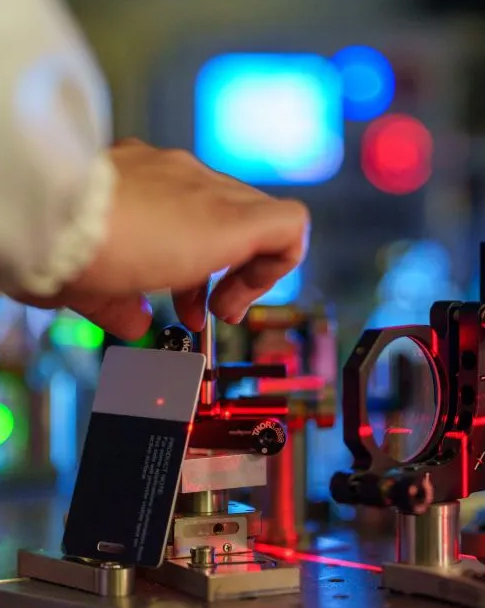

When you check a projection vein finder, look at these five things:
Image clarity
Picking the right device can help nurses find veins better. It can lower problems and make patients feel less worried. You will see fewer mistakes and shorter hospital stays. This means patients are safer and hospitals support workflow efficiency. Find helpful tips in each part to help you choose well.
When you pick a projection vein finder, image clarity is very important. Clear images let you see veins under the skin. This makes it easier to find the right spot for venipuncture. Some devices use near-infrared technology, like the Vivolight medical vein detection device. These can show veins with high-definition detail. This technology helps you see veins better and miss them less often.
Tip: High-definition images help you find veins faster. They also make the procedure hurt less for your patients. You can finish your work quicker and have fewer problems.
Clinical studies say clear imaging gives better results:
Hospitals compare projection vein finder models by seeing how fast staff can find veins. They also check how well the device works on different skin tones. Devices that let you change brightness or color settings help you get the best image for each patient.
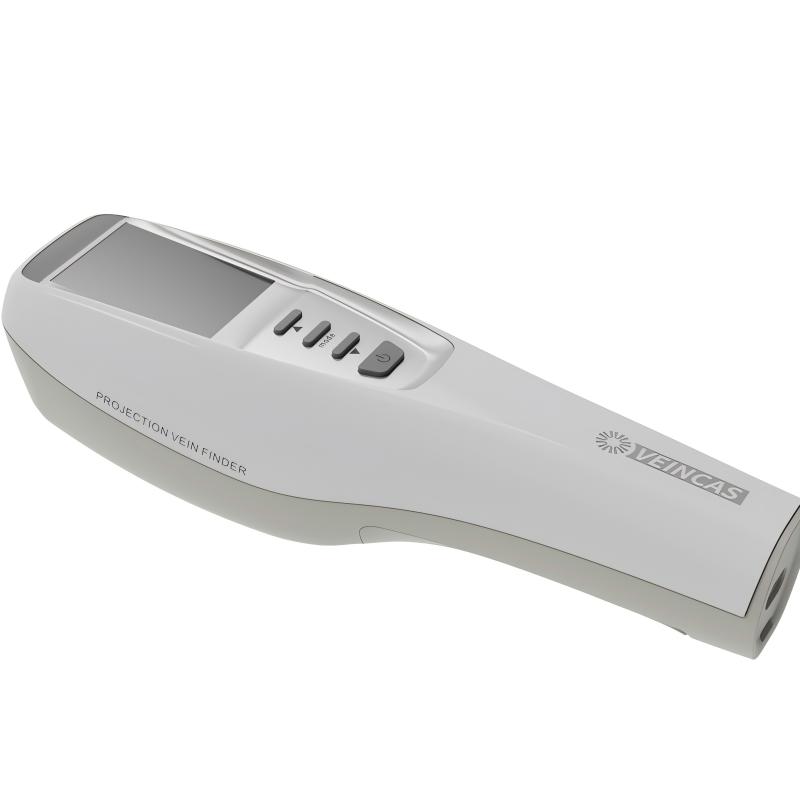
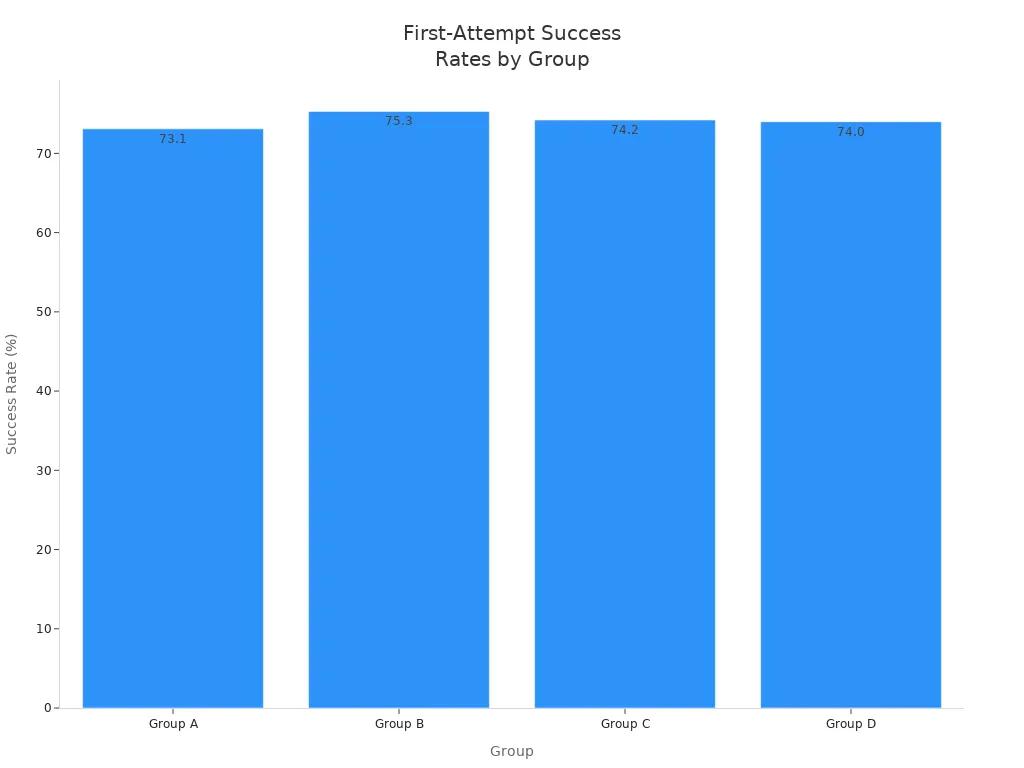
You need to check if a device shows veins correctly. Accurate images help you feel sure and make fewer mistakes. Hospitals look at first-attempt success rates to measure image accuracy. The chart below shows how different groups did with different projection vein finders:
|
Group |
First-Attempt Success Rate (%) |
|
A |
73.1 |
|
B |
75.3 |
|
C |
74.2 |
|
D |
74.0 |
|
|
P = 0.93 |
[Data source: Cluster randomised clinical trial published in the European Journal of Anaesthesiology (EJA).]
Remember, seeing veins better helps, but other things matter too. Your experience and the patient’s help are important. Devices like Vivolight give clear images and are easy to adjust. This can make you feel more confident and work better.
Picking a projection vein finder with great image clarity and accuracy helps you give safer, faster, and more comfortable care.
You should think about how the device fits your work. Each design has good points and some problems. The table below shows the main choices:
|
Type |
Pros |
Cons |
|
Handheld Portable Devices |
Light and easy to carry. Runs on batteries. Good for bedside or field use. Cheaper options are available. |
Some models have lower image quality. Budget ones may not adjust much. |
|
Tabletop or Cart-Mounted Systems |
Gives clear images and sees deeper veins. Has zoom and freeze features. |
Costs more money. Harder to move. Needs to be plugged in. |
|
Wearable and Smart Glasses |
You do not need to use your hands. Vein maps show up right in front of you. |
Very expensive. Harder to learn. Not many hospitals have them. |
Handheld devices are good for nurses who go from room to room. Tabletop systems are best for places that need strong imaging, like the ICU. Wearable devices help when you need both hands, such as during surgery.
How easy a device is to move changes how you work. This matters in places like the ER and children’s wards:
Being able to use the device in many ways is important. Some hospitals cannot spend a lot or have power problems. Newer, cheaper medical vein detection devices help more places use this tool. Training is also key. If your team knows how to use the device, you get better results. Brands like Vivolight make devices that work in many places and are simple to learn.
Tip: Look at the size and weight of each device. Make sure it fits your space and your team. Try it out in real hospital jobs before you use.
Picking the best design helps you work faster and help more patients. The right Projection Vein Finder can make your job easier and help patients feel better.
You need a device that works in any room. Hospital lights can be very bright or very dim. A Projection Vein Finder with adjustable brightness helps you see veins well. You can change the brightness to fit the room. Some devices have three brightness levels you can pick. This helps stop glare and makes it easier to see veins.
Many devices also let you pick color modes. You can choose green, red, blue, or white. Green gives the best contrast for many skin tones. Inversion mode makes veins look white on a dark background. This helps you find small or deep veins more easily.
|
Feature |
Description |
|
Color Modes |
Has 7 single-color and 4 dual-color modes for better contrast on all skin tones. |
|
Inversion Capability |
Lets you flip the image to see small veins better. |
|
Brightness Settings |
Gives three brightness choices to match the room and cut glare. |
Tip: Test the device in both bright and dark rooms before Using. Make sure you can see veins clearly every time.
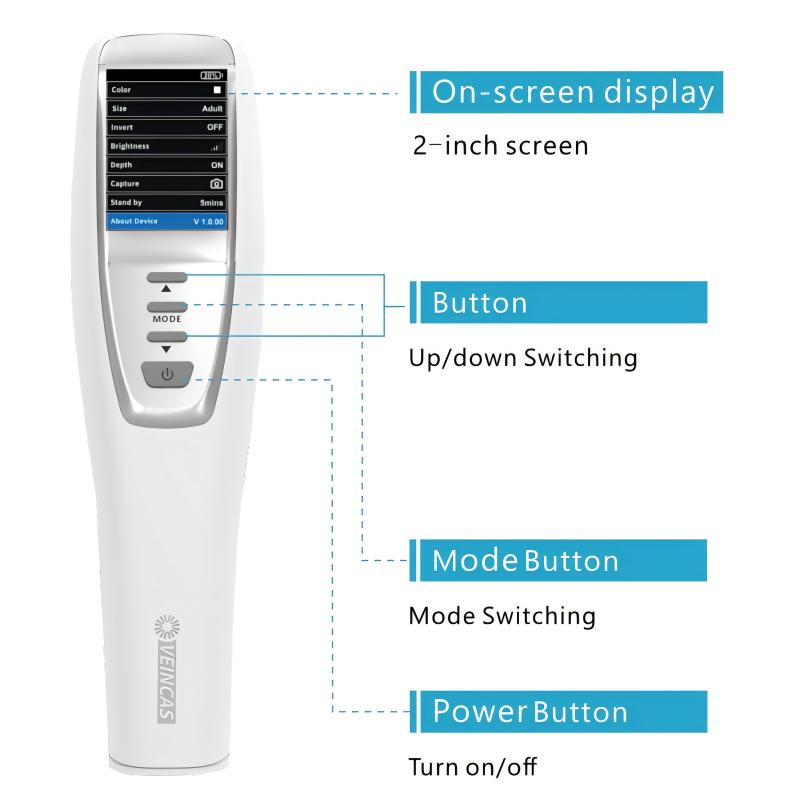
Adjustable image settings help you care for everyone. Kids, adults, and people with obesity have veins at different depths. Devices that let you change image settings help you see veins up to 10 mm deep. This makes it easier to get the vein on your first try and pick the best spot.
Some medical vein detection devices, like Vivolight, let you switch color palettes. You can use green for high contrast or invert the image for better edges. These options help you find veins on any skin tone.
|
Feature |
Description |
|
Color Palette Options |
Lets you pick green, red, blue, or white for better contrast. |
|
Inversion Mode |
Makes veins show up white on a dark background for easy edge finding. |
|
Preferred Color |
Green is best for high contrast on many skin tones. |
Always check if the device has easy settings. This makes your job simpler and helps you care for every patient better.
You need to make sure your Projection Vein Finder follows all safety rules. Hospitals only use devices that pass tough tests. These tests check if the device works well and keeps people safe. Every country has its own rules for medical devices. The table below shows the main rules for each place:
|
Region |
Regulatory Body |
Key Requirements |
|
United States |
U.S. FDA |
Class II device, 510(k) clearance, safety and performance |
|
European Union |
EU MDR |
MDR 2017/745, clinical evaluation, ISO 13485, CE marking |
|
Canada |
Health Canada |
Similar to U.S. FDA |
|
Japan |
PMDA |
Local medical device regulations |
|
Australia |
TGA |
Australian medical device standards |
|
International |
IEC 60601, ISO 14971 |
Medical electrical safety, risk management |
[Source: Compiled from international medical device regulatory standards (FDA, EU MDR, IEC 60601, and IMDRF guidelines)]
If you are in the United States, look for FDA clearance. In Europe, check for CE marking and MDR rules. These marks mean the device is safe and good quality. Devices like Vivolight usually meet these rules, so you can trust them.
You have to keep your device clean to stop germs. After you use it, wipe it with a soft cloth and gentle cleaner. Do not use strong chemicals because they can hurt the device. Put the device in a clean, dry spot when you are not using it.
Many portable devices are made from medical-grade plastics. These plastics do not get ruined by cleaning. Small devices are easier to wipe and keep clean. You should write down when you clean it, check the battery, or if you drop it. This helps you find problems early and keep the device working well.
Tip: Make a cleaning plan and teach your team. A clean device keeps patients safe and helps your team do a better job.
If you do these things, your Projection Vein Finder will last longer and work better. You will also help keep your patients safe from infections.
You see veins in real time when you use a Projection Vein Finder. The device projects a live image onto the skin, so you can spot veins right away. This instant feedback helps you work faster and reduces mistakes. You do not need to guess where the vein is. You can adjust your approach as you watch the image change.
Here is a table that shows how real-time projection improves success rates:
|
Method |
Success Rate |
|
Traditional (tourniquet) |
46% |
|
NAVI-60 vein finder |
70% |
|
Advanced vein viewers |
94% |
[Data source: Compiled from multi-center clinical trials evaluating Near-Infrared (NIR) vein illumination technology in Difficult Intravenous Access (DIVA) management.]
You help patients feel less pain and worry because you find the vein on the first try more often. Nurses and doctors finish procedures faster. You spend less time searching for veins, so you can focus on patient care.
Tip: Real-time projection lets you see the vein move as the patient shifts. You can react quickly and avoid missing the vein.
You improve accuracy when you use real-time projection. Studies show that vein finders help you get the vein on the first attempt more often than standard methods. For example, Phipps et al. found a 64% first-attempt success rate with a vein finder compared to 59% with standard techniques. Barreras and Chang saw higher success rates in children with special health care needs. Fukuroku et al. confirmed that vein viewers help with elderly patients. Anupongongarch P reported an 88.23% success rate in pale subjects using a vein finder, compared to 58.82% with standard care.
[Source: Data compiled from global clinical studies on NIR vein visualization, including research by Phipps et al. (2012), Barreras & Chang (2016), Fukuroku et al., and Anupongongarch et al. (2015).]
Devices like Vivolight and other medical vein detection devices offer advanced projection features. You can adjust the image for different skin tones and vein depths. These tools help you make better choices and improve patient outcomes.
Note: Real-time projection helps you select veins with confidence. You reduce errors and make procedures smoother for everyone.
When you use a Projection Vein Finder, you need to think about more than just the first price. The first cost is for the device, any extra parts, and training for your team. Some brands, like Vivolight, might cost more at first. But they may come with more features or a longer warranty. You should also check if the device needs special batteries or parts that you must replace. These things can make the total cost go up over time.
Long-term costs are things like fixing the device, cleaning it, and getting software updates. If the device is hard to clean or breaks a lot, you will spend more money later. A medical vein detection device that is strong and easy to clean will save you time and money. You should ask the seller about service plans and how fast you can get new parts.
Tip: Always ask for a list of all costs before you use. This helps you plan your budget and avoid surprises.
You want to know if the money you spend is worth it. Hospitals use numbers to see if a Projection Vein Finder helps them. These numbers show how the device can make care better and support workflow efficiency:
|
Metric |
Value |
|
First-attempt IV insertion rate |
Went up from 1.4 to 3.7 |
|
Average IV insertion time |
Went down by 38% |
|
Catheter material waste |
Went down by 29% |
|
Patient satisfaction scores |
Got much better |
[Source: Clinical cost-benefit and economic evaluation data compiled from peer-reviewed studies published in the Journal of Emergency Nursing and Journal of Infusion Nursing.]
If staff find veins faster, you use fewer supplies and patients feel happier. Shorter procedures mean you can help more people each day. More first-try successes also mean fewer problems for patients.
Using a good device, can help you get better results and support workflow efficiency over time. You should look at these benefits and the total cost to see which device is the suitable option.
When patients are happy and there are fewer failed tries, your hospital can support workflow efficiency and look better to others.
You can use a checklist to make better choices when Using a Projection Vein Finder. A checklist helps you remember what matters most. It also helps your team work together and pick the best device for your hospital. Here is how a checklist can help:
|
Benefit Type |
Description |
|
Structured Approaches |
You cover user needs, technical support, training, and disposal. |
|
Streamlined Decisions |
You save time and involve all important staff in the process. |
|
Evidence-Based Choices |
You use facts to improve patient safety and hospital efficiency. |
Follow these steps when you compare devices:
Tip: Ask your team to test each device in real hospital settings before you decide.
You should ask vendors clear questions to get the best device for your needs. Here are some smart questions:
You can use these questions to compare each Projection Vein Finder. This helps you find the best value and the safest choice for your hospital.
You now know the five main things to check in a projection vein finder. Each one helps you pick the best device for your hospital. It is smart to ask different experts for help when you decide:
Hospitals use special numbers, called KPIs, to see how well new medical vein detection devices like Vivolight work:
|
KPI Type |
Description |
Impact on Patient Care and Efficiency |
|
Managerial KPIs |
Show how well staff and tools are used. |
Make work faster and help follow hospital rules. |
|
Clinical KPIs |
Look at how good the care is and how patients do. |
Make patients happier and keep them safe. |
Use the checklist and tips to help you choose the right device. When you pick a good device, you help patients and make your hospital work better.
A projection vein finder is a medical device that shows veins under the skin. You see the veins in real time. This helps you find the best spot for an IV or blood draw.
You use a medical vein detection device to find veins quickly. This means fewer needle sticks and less pain for patients. You also finish procedures faster and lower the risk of problems.
Vivolight offers clear images and easy controls. You can use it in many settings. The device meets safety standards and is simple to clean. Many hospitals trust Vivolight for reliable vein detection.
Yes, you can. Devices like Vivolight let you adjust brightness and color modes. This helps you see veins clearly on any skin tone or patient type.
You should test image clarity, battery life, and cleaning steps. Ask about safety certifications and support plans. Try the device in real hospital settings to see if it fits your team’s needs.
Leave A Message
Scan to WhatsApp :


 IPv6 network supported